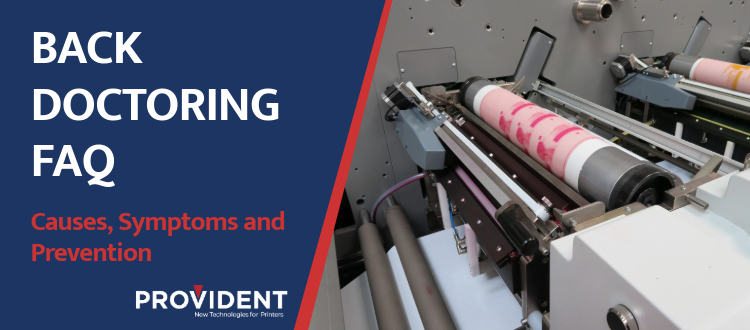
Back doctoring in flexographic printing is a common ink metering problem that results in ink leaking down the drum or chamber. Understanding why back doctoring happens and how to prevent it can save press time, reduce waste, and extend anilox life.
What Is Back Doctoring in Flexo Printing?
Back doctoring occurs when ink is not effectively metered off the anilox roll and collects on the containment blade. In real pressrooms, it rarely comes from a single issue. It’s usually the result of angle, pressure, and ink behavior interacting over time.
What Are the Common Symptoms of Back Doctoring?
Operators typically notice one or more of the following:
- Ink buildup behind the containment blade, which is the main result of back doctoring
- End seals that appear to be leaking
- Ink pooling on the containment blade and dripping off the sides
What Causes Back Doctoring?
Improper Blade Angle Due to Calibration or Pressure
Too little pressure allows ink to pass under the blade. Too much pressure accelerates wear and changes the blade angle, which negatively affects metering. Poor calibration can prevent blades from sitting properly against the anilox roll. Consistent, repeatable setup is critical, especially across shifts.
Ink Characteristics
Certain inks are more prone to back doctoring:
- High-solids inks
- Abrasive whites
- Fast-drying or tacky formulations
Back doctoring is not just a nuisance defect. It is a signal that something in the ink metering system is out of balance. The only way you can back doctor is through poor metering. What is happening on press to cause this? Call your pressroom specialist.
What Is Ink Turbulence Under End Seals?
Ink turbulence, sometimes called “blowout” in the pressroom, occurs inside the chamber and pushes ink where it does not belong. Blowout is an industry term for too much ink being pushed into the pump, typically caused by pumps that are not in sync or by ink viscosity that is too high. When ink becomes sludgy, solvent is often added, which can overcorrect and leave the ink too fluid. Worn or leaking end seals allow pressure fluctuations that work against the blade edge, increasing the likelihood of ink migration.
How Do I Choose the Right Blade to Prevent Back Doctoring?
Blade selection should match ink type, anilox volume, and run length and not just cost:
- Upgrade from commodity carbon to specialty steel or coated blades when running demanding inks
- Use consistent blade specifications across presses to reduce variability
- Re-evaluate blade choice when inks or substrates change
When Should I Replace Blades?
If blades are only changed after defects appear, you’re already losing time and material. Establish blade life standards based on:
- Run length
- Ink type
- Anilox volume
Planned blade changes reduce downtime and protect anilox rolls from secondary damage.
Related: Understanding Anilox Scoring
How Does Press Setup Affect Back Doctoring?
Inconsistent setup is one of the fastest ways to create recurring metering problems. Document and train around:
- Blade angle
- Pressure settings
- Chamber alignment
- Cleanliness & housekeeping
What Else in the Ink System Can Contribute to Back Doctoring?
Back doctoring rarely exists in isolation. Regular attention to the following keeps pressure balanced and ink where it belongs:
- Chamber cleanliness
- Proper fitting end seals
- Ink filtration and flow
When blades meter cleanly, presses run longer, prints stay consistent, and operators stop fighting the same problem job after job.
Press issues don’t wait and neither do we. Contact us with any questions!