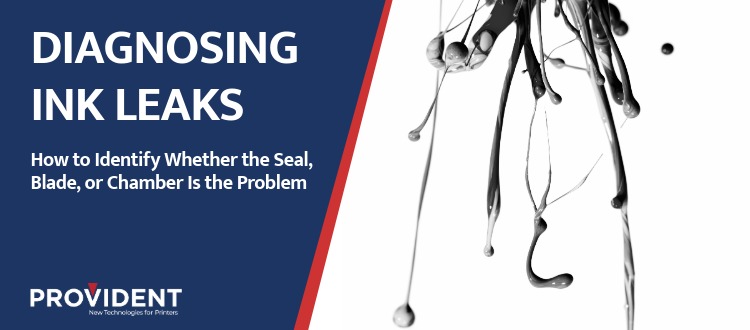
Ink leaking from the chamber is one of the more disruptive problems in a flexo pressroom — not because it is difficult to stop, but because it is easy to misread. Replace the end seals when the blade is the issue. Adjust blade pressure when the chamber itself is the source. Change parts that do not need changing, and the leak comes back the next run.
The diagnostic process is not complicated, but it has to follow a sequence. Each component in the ink chamber system tells a specific story when it fails, and the signs are distinct once you know what to look for.
This post walks through how to identify whether an ink leak is originating from the end seals, the doctor blade, or the chamber itself — so the fix addresses the actual cause, not the most visible symptom.
Why Getting the Diagnosis Right Matters
Ink leakage is not just a mess. It is a chain of consequences. Ink escaping the chamber past the end seal or around the blade results in poor metering and color variation throughout the run. When ink migrates where it should not go, back doctoring starts.
Getting the chamber to run with minimal to no leaking is the goal. That starts with identifying the correct source.
The Three Sources of Chamber Ink Leaks
1. End Seal Failure
End seals are the first place to check. They are the most common source of leaking in a chambered doctor blade system, and the signs are localized.
What to look for:
Ink leaking from the ends of the chamber rather than along the blade edge is a strong indicator that the seal is the problem. If the leak appears at one end and not the other, that might indicate a mechanical issue such as calibration or pressure. Ensuring a proper fit between the end seal and the chamber is the first step toward resolving it.
Why seals fail:
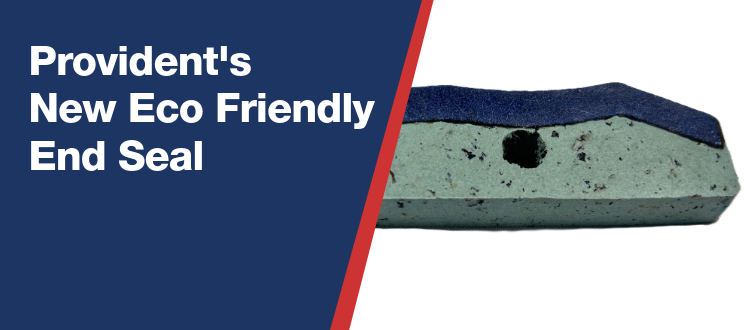
End seal failure is rarely about the material wearing through. It is usually about fit. A seal that was not dimensionally correct for the chamber — whether too short or too big — will leak regardless of how carefully it is installed. This is why the correct profile and a consistent manufacturing process matter. Provident’s precision-cut seals with consistent edge geometry seat predictably and reliably, holding their dimensions under press conditions. Seals that arrive with compromised shape or irregular edges from the manufacturing process introduce variation before the press even starts.
Next step: If the seal is the source, contact Provident’s technical team for support. Our team can inspect the dimensional integrity of the seal against the chamber spec and recommend the right replacement.
2. Doctor Blade Issues
If the leak is tracking along the length of the chamber rather than at the ends, the doctor blade is the more likely source.
What to look for:
A blade-related leak presents as ink seeping along the full width of the blade contact zone, or appearing on the rear face of the blade. This is different from end seal-based leaking. You may also notice that the leak is associated with color shift or inconsistent ink density across the print — both of which signal that the blade is not metering cleanly.
Worn blades can be a contributor. Chambers often have limits on how far they can move — as blades wear, adequate contact with the anilox roll is jeopardized.
Over-pressurization is another factor always worth checking. Operators who run at chamber pressures higher than the application calls for accelerate blade wear and can create unwanted flex in the blade body. That flex introduces poor metering, which creates back doctoring.
What back doctoring tells you:
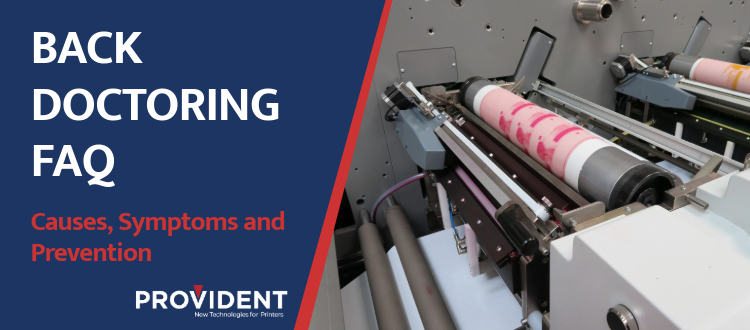
If you are seeing ink accumulation on the back side of the metering blade, that is a sign of back doctoring already occurring. Back doctoring happens when the containment blade wipes excess ink off the anilox roll — that excess ink will accumulate on the containment blade or drip down the press, depending on which side of the drum it is happening on. It is a secondary problem, but its presence tells you the ink containment has already broken down somewhere in the system. Address the upstream source first. (See the Back Doctoring FAQ on providentblades.com for a detailed breakdown of causes and corrective steps.)
Next step: Inspect the blade to see if uneven wear patterns exist. If so, the mechanical issues described above could be the source. If problems persist, consult your Provident pressroom specialist for a review of blade thickness, material, and tip profile based on your press setup.
3. Chamber Fit and Condition
If the end seals are dimensionally sound and the blade was properly installed, the chamber itself warrants inspection.
What to look for:
Ink leaking from multiple points can suggest that the chamber is no longer aligned or seated correctly in the press. Misalignment causes uneven pressure distribution across the anilox and blade contact points, leaving gaps that no seal or blade can fully compensate for.
Physical damage to the chamber can also cause persistent leaking.
Contamination is another contributing factor. Dried ink buildup on the chamber walls or end caps will disrupt proper function and prevent optimal chamber performance.
Next step: If chamber pressures and ink pumps are balanced, inspect the chamber for wear, damage, or contamination. If the chamber is misaligned, address the calibration before swapping seals or blades. If parts are damaged, that is a chamber component issue that no consumable change will fix. Provident’s technical team can help assess whether a chamber condition issue is contributing to a persistent leak problem.
The Diagnostic Sequence, Summarized
Before changing any part, work through the system in order:
- Check where the ink is coming from. End-based leaking points to seals. Full-width leaking along the blade zone points to the blade. Multiple simultaneous leak points suggest chamber fit or condition.
- Inspect the seals first. Examine the edge profile and dimensions. Look for gaps at the seal-to-chamber interface.
- If seals look correct, examine the blade. Check for uneven wear patterns and confirm chamber pressure is within spec.
- If both seal and blade check out, look at the chamber. Inspect for misalignment, damage, and contamination before reseating.
A persistent leak that does not respond to a seal or blade change almost always has a chamber dimension or condition component. Chasing it with consumable changes delays the real fix.
Getting the Chamber Running Clean
The goal is a chamber that runs with minimal to no leaking throughout the print run, delivering consistent ink metering, stable color density, and predictable blade life. Each of those outcomes depends on the seal, blade, and chamber working as a system.
If you are troubleshooting a leak and the source is not clear, Provident’s team is available to review your chamber setup, seal dimensions, and blade configuration. That is the kind of pressroom problem we work through with customers regularly.
Talk to a Provident expert or request a sample seal to evaluate fit before the next press run. Contact us with any questions!
RELATED LINKS
End Seals | Doctor Blades | Back Doctoring FAQ